FTS 26 Mod: Everything You Need to Know
Posted by Freya Parker
Filed in Arts & Culture 241 views
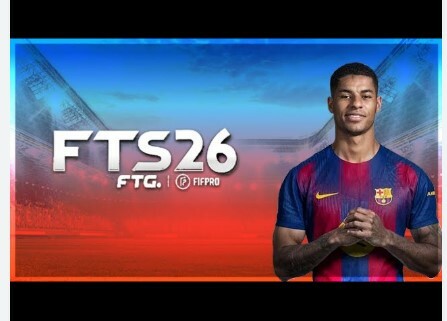
First Touch Soccer 26 (FTS 26) is one of the most anticipated mobile football games of the year — and the modding community has taken it to a whole new level. Whether you're after updated rosters, new kits, realistic graphics, or entirely new gameplay mechanics, FTS 26 mods offer a way to customize your gaming experience far beyond what the base game provides.
But with so many mods floating around the internet, it can be hard to know where to start. What's actually worth downloading? What's safe? And how do you install a mod without breaking your game?
This guide covers everything you need to know about FTS 26 mods — from what they are and why players love them, to how to install them safely and which features to look for.
What Is FTS 26 Mod?
FTS 26 Mod refers to a modified version of First Touch Soccer 26, a popular mobile football game developed by First Touch Games. Mods are created by independent developers and fans who alter the original game files to add new features, improve visuals, or update in-game content.
These modified APK files are typically distributed through fan sites, forums, and YouTube channels. They aren't official releases — but they're widely used by the FTS community because they offer features the base game simply doesn't include.
Common modifications include:
- Updated player transfers and squads reflecting the latest real-world football seasons
- New kits and jerseys for club and national teams
- Improved graphics and stadium visuals
- Realistic player faces added through texture packs
- New leagues and tournaments not found in the original game
- Enhanced commentary and sound effects
Why Do Players Download FTS 26 Mods?
The appeal is straightforward: the modded version of FTS 26 gives players a more immersive, up-to-date experience without waiting for official updates.
Football is a sport that moves fast. Transfers happen, kits change, and new stars emerge every season. Official mobile games often lag behind these changes, leaving players with outdated squads and jerseys. Mods close that gap quickly, often releasing updated content within days of major football news.
Beyond accuracy, mods also let players personalize the game to their preferences. Want to play with a specific league that isn't in the original game? There's likely a mod for that. Prefer a more cinematic visual style? Texture mods can make a significant difference.
For many players, the modded experience simply feels richer and more engaging than the base game.
Key Features to Look for in an FTS 26 Mod
Not all mods are created equal. Before downloading, it's worth knowing what separates a high-quality mod from one that might disappoint — or worse, cause problems on your device.
Updated Rosters and Transfers
A good FTS 26 mod should reflect the current football season. Look for mods that clearly state the transfer window they've been updated to, so you know your squad is as accurate as possible.
HD Graphics and Textures
Higher-resolution textures, improved lighting, and detailed stadium environments are hallmarks of a well-made mod. These improvements can make the game feel almost console-like on a modern smartphone.
Realistic Player Faces
One of the most popular mod features, realistic face packs replace generic player avatars with images that closely resemble real athletes. This small detail adds a lot to the overall immersion.
New Kits and Badges
Updated home, away, and third kits for major clubs and national teams keep the game visually current. Premium mods often include kits for lower-division clubs as well.
Additional Leagues and Competitions
Some mods expand the game's league structure to include competitions from Africa, Asia, North America, and lower European divisions — a big draw for players who want to see their local teams represented.
Smooth Performance
Flashy features mean nothing if the mod causes the game to lag or crash. Always check user reviews and community feedback before downloading to get a sense of how the mod performs on different devices.
How to Install an FTS 26 Mod Safely
Installing a modded APK is a slightly different process from downloading an app through the Google Play Store. Here's a general step-by-step guide:
- Back up your current game data before making any changes. This protects your progress if something goes wrong.
- Download the mod APK and OBB file from a trusted source. Community forums and well-known FTS fan sites are generally more reliable than random download links.
- Enable "Install from Unknown Sources" in your Android device settings. This allows you to install apps outside of the Play Store.
- Install the APK file by opening it from your downloads folder and following the prompts.
- Move the OBB folder to the correct directory on your device, typically: Android/OBB/com.firsttouchgames.fts15/
- Launch the game and check that the mod is working correctly.
Keep in mind that FTS mods are designed for Android devices. iOS installation is significantly more complex and generally not recommended without advanced technical knowledge.
Is It Safe to Download FTS 26 Mods?
This is the most important question to ask before downloading anything. The honest answer: it depends entirely on the source.
Reputable modding communities take pride in distributing clean, virus-free files. But the internet is also full of low-quality or malicious files disguised as popular game mods. To protect yourself:
- Only download from well-known, community-trusted sources. Established FTS fan forums and YouTube channels with large followings are generally safer bets.
- Run a virus scan on downloaded APK files using a trusted mobile security app.
- Read the comments. If other users are reporting issues with a particular mod, take those warnings seriously.
- Avoid mods that ask for excessive permissions — a football game has no reason to request access to your contacts or messages.
No mod is entirely without risk, but taking these precautions significantly reduces the chance of running into problems.
FTS 26 Mod vs. the Official Game: Which Is Better?
It's a question the FTS community debates regularly. The official game offers stability, regular developer support, and safe installation through the Play Store. Mods, on the other hand, offer flexibility, customization, and content that the official game simply can't match in terms of freshness.
For casual players, the base game may be perfectly satisfying. For dedicated football fans who want the latest kits, accurate squads, and an expanded league selection, a well-made mod can genuinely transform the experience.
Many players actually use both — the official game for online modes and their modded version for offline play.
Make the Most of Your FTS 26 Experience
FTS 26 mods represent a passionate community of football gaming fans who want more from their mobile experience. With the right mod, the game can feel completely fresh, visually impressive, and deeply connected to the real world of football.
The key is finding a reliable mod from a trusted source, installing it correctly, and staying informed as the community releases updates throughout the season. Follow dedicated FTS forums and YouTube creators who regularly cover new mod releases — they're your best resource for staying current.
Take your time exploring your options, prioritize safety, and enjoy the game the way you want to play it.